

Install
These steps install e2er on your computer and end on its setup page in the browser. They need no Python and no programming experience; you copy each command into a terminal window.
e2er is tested on macOS and Linux; Windows is not yet tested.
-
Install uv
uv is a small tool that installs Python and e2er for you. Nothing else on your computer changes.
macOS and Linux: open the Terminal app and run
curl -LsSf https://astral.sh/uv/install.sh | shWindows: open PowerShell and run
powershell -ExecutionPolicy ByPass -c "irm https://astral.sh/uv/install.ps1 | iex" -
Install e2er
This installs e2er with its own copy of Python 3.12.
uv tool install --python 3.12 e2er -
Make the e2er command available
uv tool update-shellThen close the window and open a new Terminal window (on Windows, a new PowerShell window). The command e2er works only in the new window.
-
Give e2er access to an AI model
With a Claude Pro or Max subscription, e2er uses Claude Code and costs nothing beyond the subscription. Install Claude Code, then run claude once and sign in in the browser. The commands are from Anthropic’s Claude Code setup page, which also covers problems during installation.
macOS and Linux
curl -fsSL https://claude.ai/install.sh | bashWindows PowerShell
irm https://claude.ai/install.ps1 | iexclaudeWithout a subscription, use an API key from Anthropic or OpenRouter, billed per use. You paste it on the setup page in step 6; for OpenRouter you also choose the model there, which shows its price. The Codex command-line tool also works with a ChatGPT subscription. Full runs are tested live on Claude Code (Sonnet and Haiku), Codex (gpt-6-luna and gpt-6-astra) and OpenRouter (DeepSeek V4 Pro). Google ended Gemini CLI sign-in for individual accounts in October 2026, so the Gemini backend needs a Gemini API key and is not tested.
-
Make a folder for your studies and go into it
macOS and Linux
mkdir ~/e2er-studies && cd ~/e2er-studiesWindows PowerShell
mkdir ~\e2er-studies; cd ~\e2er-studiese2er keeps its settings in this folder. Use a normal folder in your home folder. Do not use a folder inside ~/.claude: Claude Code cannot write there.
-
Start e2er
e2erThe browser opens e2er’s setup page. There you choose the AI provider and its model, your literature (a .bib file, a Zotero export or a folder of PDFs) and a data folder, and you can paste keys. Save and check writes the settings to .env in this folder. Keep the terminal window open while you work; Ctrl-C stops e2er.
If the browser does not open, open the address e2er prints, which starts with http://127.0.0.1:8280/. The setup page accepts changes only when opened from that address. If port 8280 is busy, choose another one:
e2er --port 8300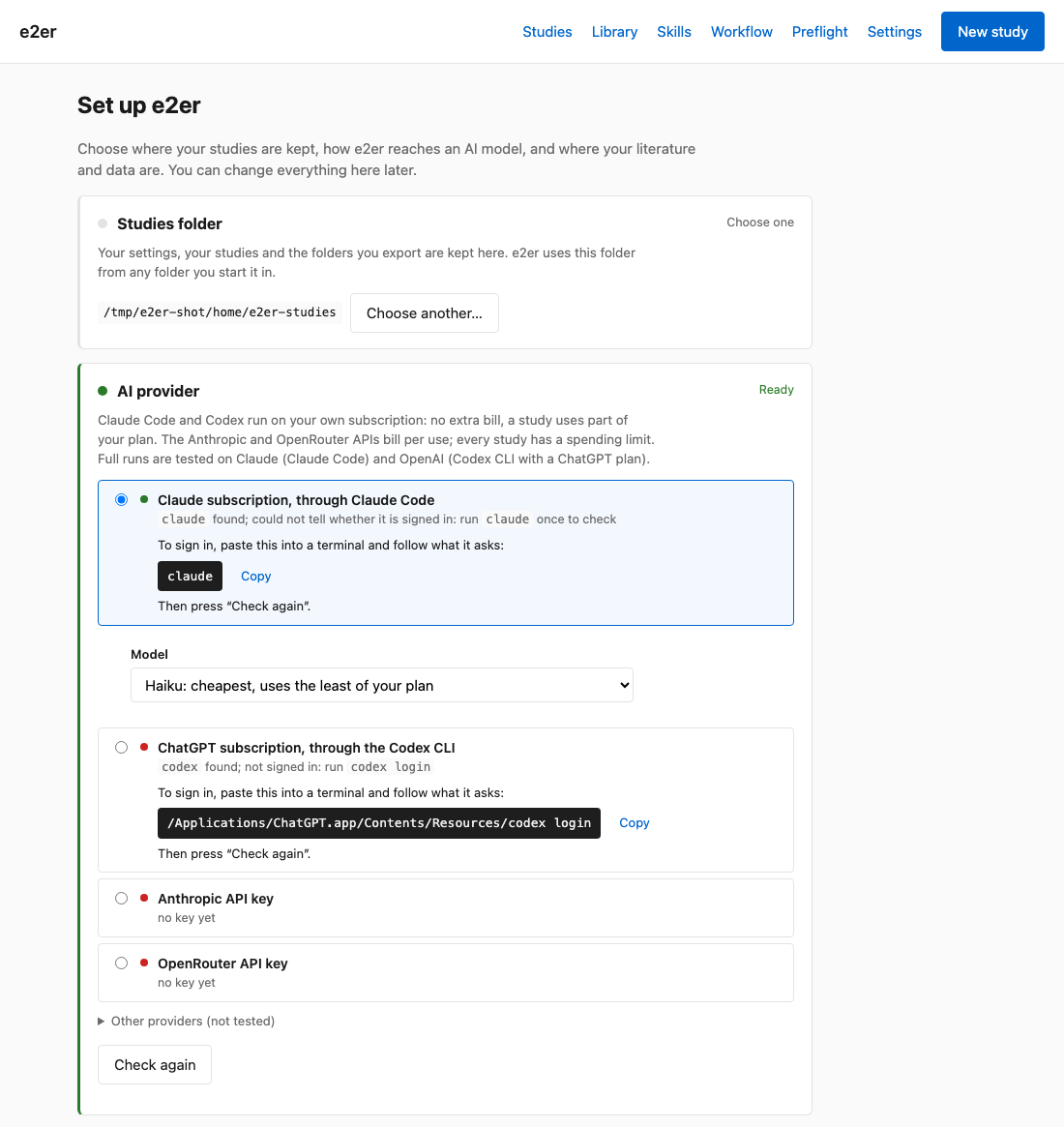
The setup page of e2er 0.15.3, as served by e2er --no-browser --port 8293 in a new folder on macOS, before signing in. -
Optional: Docker Desktop
Only the replication template needs Docker Desktop. It runs the original study’s code sealed off from the rest of your computer. The setup page shows whether Docker is found.
-
Update e2er later
uv tool upgrade e2er
Next: your first study on Get started.
If something goes wrong
- No matching distribution found for e2er
- pip ran with a Python older than 3.11, such as the built-in python3 on a Mac. Install with uv as in steps 1 and 2.
- e2er: command not found (Windows: e2er is not recognized)
- Step 3 was skipped, or the command ran in the old window. Run uv tool update-shell and open a new window.
- The browser does not open
- Open the address e2er prints in the terminal.
- Could not start on port 8280 — something else is using it.
- Start e2er on another port, for instance e2er --port 8300.
- Something else is missing
- e2er doctor checks the AI provider, the database and the data and literature sources and lists what is missing.
e2er doctorIf you manage Python yourself
e2er needs Python 3.11 or newer. On a Mac the built-in python3 is too old. With Python 3.12 installed, this creates an environment in the current folder and installs e2er into it:
python3.12 -m venv .venv && source .venv/bin/activate && pip install e2er