

Get started
This page takes you from installing e2er to a published study on e2er.org, with your own question and your own data.
Before you start: About e2er · a published study Demonstration
Choose a template
A template is the sequence of steps a run follows. e2er 0.16.1 has eleven, and each fits a different kind of study. The template is named when the run starts. Templates and data sources by field groups them by the field they serve.
Install
e2er runs on your computer. It needs Python 3.11 or newer, and the install steps use uv, a small tool that brings its own Python. The last step starts e2er, and the browser opens its setup page, where you choose the AI provider, your literature and your data.
Your first study
Your datasets go in data/ (.csv, .tsv, .jsonl, .parquet or .xlsx) and your PDFs in literature/. On New study in the dashboard you tick the data files and papers the study uses; in a terminal, --data and --papers name them, and without them the study takes everything in both folders. The files stay on your computer; the text of a PDF goes to your AI provider when a specialist reads it. A study can also load data from the 16 data sources e2er connects to, among them FRED, the World Bank, NASA's Exoplanet Archive and Project Gutenberg. e2er records each load with the source's terms and citation; data whose terms keep them with the source are not published with the study, and its code loads them again. The run starts with your question and the template. e2er prints the study’s id and starts a dashboard on your computer. Specialists work through the template’s steps: design, data, estimation, drafting and review. Checks sit between the steps, and a failed check stops the run, for instance when the estimation does not follow the specification declared before it. At each researcher step the run pauses until you act. When your Claude or ChatGPT plan reaches its usage limit, the run pauses too; press Resume, or run e2er resume <id>, once the limit has reset.
e2er run "<your question>" --template empirical-preregisterede2er status <id>A run made only to try e2er or to show how it works takes --demonstration; its paper, report and dossier then say that it is published as is and not a research contribution.

The terminal as text
$ e2er init --defaults
e2er init --defaults — non-interactive setup
  ✓ scaffolded ~/my-study/data/ and ~/my-study/literature/ (drop your data + PDFs there)
  ✓ Wrote ~/my-study/.env
e2er install-skills: copied 189 file(s), skipped 0
  → ~/.claude/skills
  → ~/.codex/skills
  → ~/.gemini/skills
✓ ready — verify with `e2er doctor`, then `e2er run "<your RQ>"` Review and steer
At a pause the dashboard shows the files the step produced and four actions; the same actions work from the command line, and a run that has ended can be sent back to one of its steps. Every action is recorded in the study’s dossier. In the FOMC event study, the design review showed that 11 of the proposed event dates were wrong, and the researcher replaced them with the announcement dates from the data before anything was estimated.
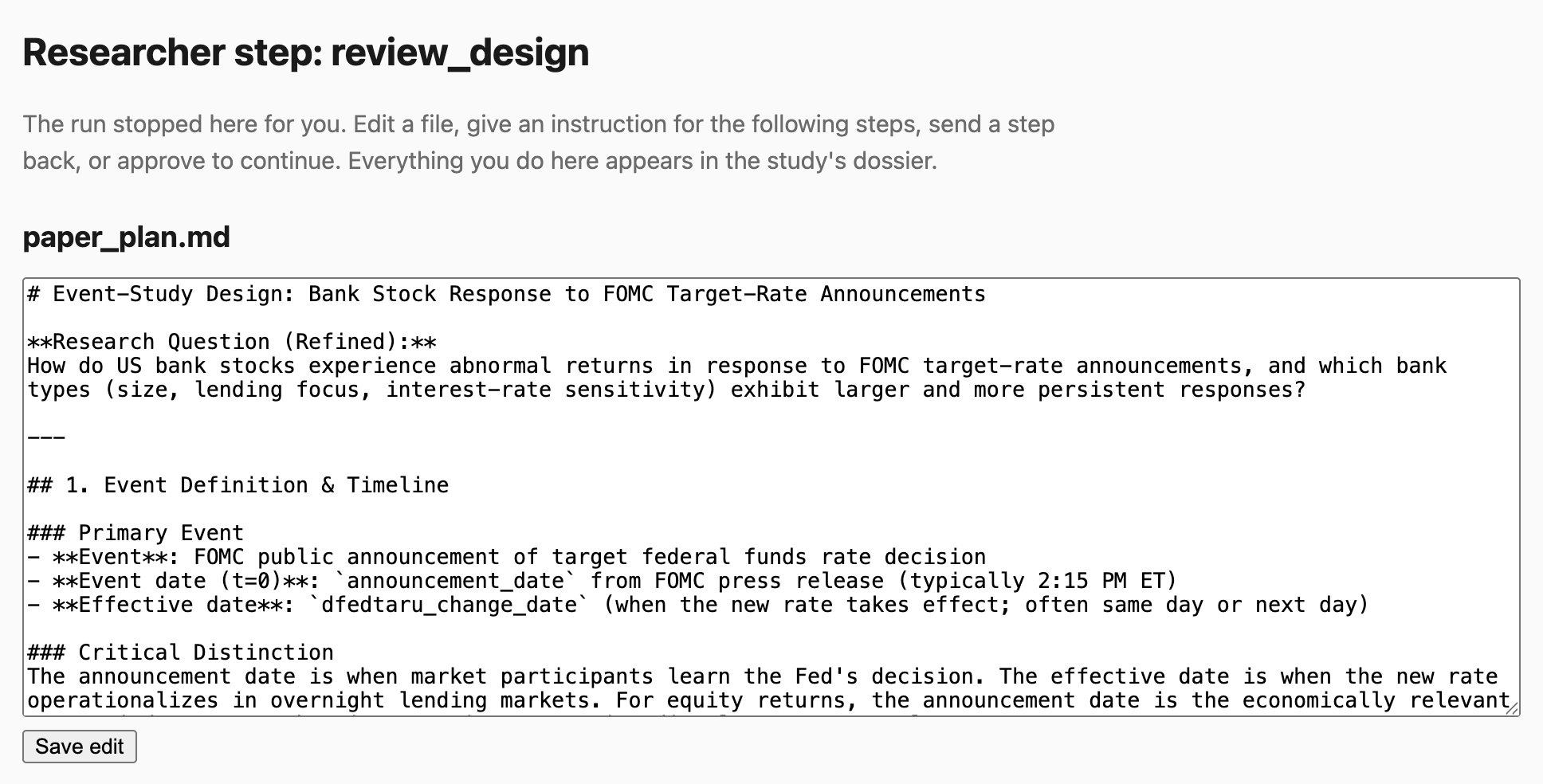
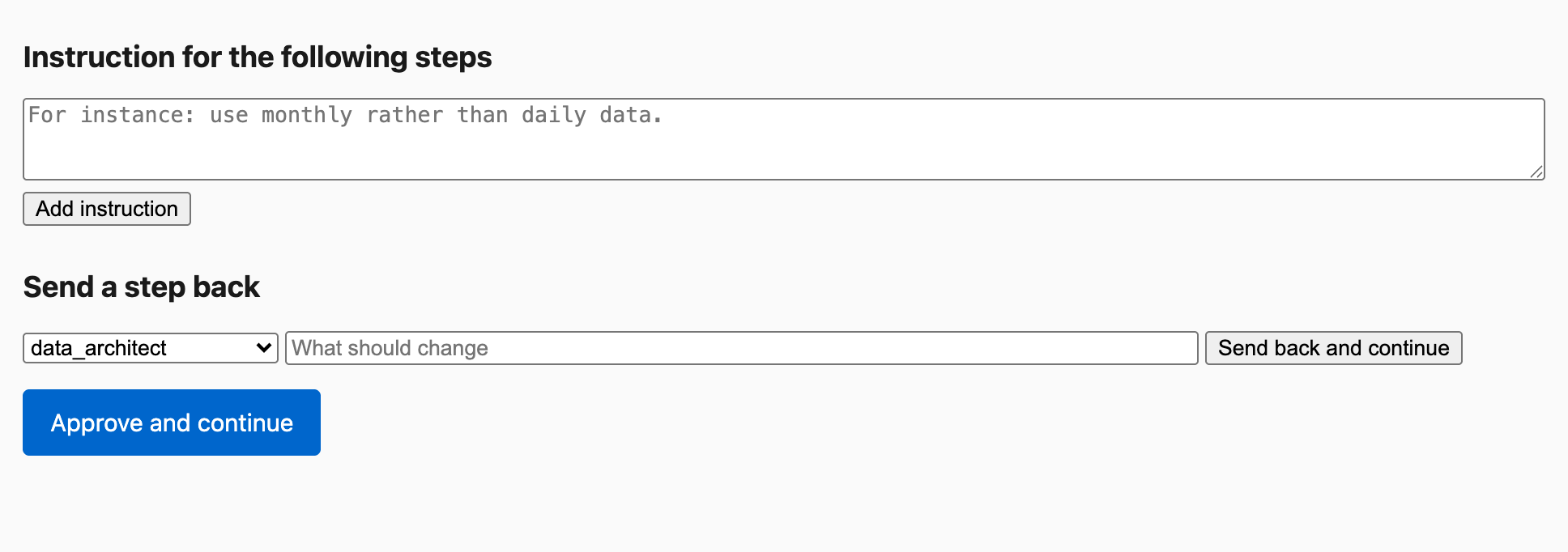
e2er review <id> --edit FILE e2er review <id> --instruction "…" e2er review <id> --send-back STEP --remark "…" e2er review <id> --approve e2er rerun <id> --from STEP --remark "…" Check and publish
When the run ends, e2er export writes the study folder: paper, code, data, results, design and reviews, with a fingerprint for every file. e2er verify checks the folder offline and without any key. e2er login signs you in to e2er.org. Run e2er publish with --dry-run first; it prints the request and sends nothing. With --to https://e2er.org it publishes the description, the dossier and the fingerprint of every file; the files stay with you. e2er.org then shows the study page at e2er.org/<owner>/<project> and its dossier. A study published only to show how e2er works takes --demonstration, and its page, dossier and paper carry the Demonstration label.
The paper, the data and the code stay private unless you say otherwise; readers on e2er.org then see a button to ask you for them. --paper public --paper-url <address of the PDF>, --data public --data-url <address> and --code public --repo <repository> --commit <commit> publish them with the study. --coauthor "Name|github=<login>|role=<role>" lists a co-author, who confirms the credit on e2er.org. A study that used GitHub data is published only with its paper public: GitHub allows research use of its data only when the publications are open access.
e2er export <id>e2er verify <folder>e2er logine2er publish <folder> --owner <github-login> --project <name> --dry-rune2er publish <folder> --owner <github-login> --project <name> --to https://e2er.org$ e2er verify showcase
2026-10-05 09:48:55 | INFO | src.core.renderer.tables | render_tables: wrote 13 table(s) to /var/folders/61/pm7xd63s3kg1mr8hzpykx7780000gn/T/tmp4_5nclfl/tables
✓ [PASS] integrity 69 files hash-verified against provenance.json; 346 table cell(s) traced in the derivation graph
· [SKIP] anchor no e2er.json (not published): verified against the folder only
✓ [PASS] numbers 290 table cell(s) are source values at the precision shown; 48 coefficient(s) checked, 0 inconsistent; text (not gating): 292 of 307 number(s) are source values, 4 differ from the quantity named nearby, 11 untraced
✓ [PASS] tables 13 table(s) reproduce byte-identically from the sidecars; 2 not renderer-produced (rawcontrast.tex, sumstats.tex)
✓ [PASS] spec estimation implements the declared identification
✓ [PASS] citations 33 cite key(s) resolve in refs.bib; snapshot: 33 verified, 0 unverifiable at run time
✅ Bundle verified — 4 content check(s) passed (numbers, tables, spec, citations); every file matches provenance.json.
anchor: none outside the folder — verified against the folder only You can also publish in the browser on the Publish page, after e2er publish <folder> … --offline has prepared the folder. Everyone whose templates, specialists and skills your run used is credited in the dossier; see Credit.